Edge AI with .NET, Part 4: Time Series That Outlives the Hardware
Sensor readings are more valuable than the devices that produce them. This instalment shows how to model IoT meter data in TimescaleDB 2.29, map it with EF Core 10, and run a .NET anomaly-detection worker that survives meter swaps, tariff changes, and dead cameras.
The Data Outlasts the Device
You have a fleet of water and power meters, each running a small .NET edge agent that sends readings every minute. The hardware will fail, be replaced, or be upgraded. The readings must not. If your schema ties a reading to a device serial number rather than a logical meter identity, you lose history the moment you swap hardware. If you store readings in a plain PostgreSQL table, you pay ten times the storage cost and wait ten times as long for rolling-window queries.
TimescaleDB (now shipped by TigerData, renamed from Timescale Inc. on June 17, 2025) solves both the storage and the query problem. Version 2.29.0, released July 28, 2026, adds incremental and concurrent continuous-aggregate refresh, vectorised time_bucket() from 2.26 onward, and and the Hypercore columnstore engine introduced in 2.18. All of them matter for the patterns below.
This article covers the schema, the EF Core mapping, and the anomaly worker. Parts 1 to 3 covered the edge agent; here we focus on what happens after the reading lands in the cloud database.
Schema Design: Survive the Meter Replacement
The first rule: readings reference a logical meter, not a device serial. Keep a meters lookup table with a surrogate UUID, the physical serial, and install/remove timestamps. When hardware is swapped, insert a new meters row, and the old readings keep their original meter_id.
-- Locations and meters
CREATE TABLE locations (
    location_id UUID PRIMARY KEY DEFAULT gen_random_uuid(),
    address     TEXT NOT NULL
);

CREATE TABLE meters (
    meter_id     UUID PRIMARY KEY DEFAULT gen_random_uuid(),
    location_id  UUID NOT NULL REFERENCES locations(location_id),
    device_serial TEXT NOT NULL,
    meter_type   TEXT NOT NULL CHECK (meter_type IN ('water','power')),
    installed_at TIMESTAMPTZ NOT NULL,
    removed_at   TIMESTAMPTZ
);

-- Raw readings hypertable
CREATE TABLE readings (
    time        TIMESTAMPTZ     NOT NULL,
    meter_id    UUID            NOT NULL,
    value       DOUBLE PRECISION NOT NULL  -- litres or watt-hours
);

SELECT create_hypertable('readings', 'time',
    chunk_time_interval => INTERVAL '7 days');

-- Hypercore columnstore compression after 7 days
SELECT add_columnstore_policy('readings',
    after => INTERVAL '7 days',
    segmentby => ARRAY['meter_id']);

-- Tariff periods for cost calculation
CREATE TABLE tariff_periods (
    tariff_id   UUID PRIMARY KEY DEFAULT gen_random_uuid(),
    valid_from  TIMESTAMPTZ NOT NULL,
    valid_until TIMESTAMPTZ,          -- NULL means current tariff
    eur_per_kwh NUMERIC(10,6) NOT NULL
);
A 7-day chunk interval suits medium-frequency meter data (one reading per minute is 1,440 rows per day per meter). Hypercore's columnstore compresses cold chunks by 90 to 95 percent, so a year of data from a hundred meters costs roughly what a week would in plain PostgreSQL.
Continuous Aggregates: Daily and Monthly Rollups
Stack the aggregates. An hourly rollup feeds a daily rollup, which feeds a monthly rollup. Each is its own hypertable, refreshed incrementally. The WITH (timescaledb.continuous) flag and real_time_aggregate option mean your anomaly queries always see the latest raw data without a forced refresh.
-- Hourly rollup
CREATE MATERIALIZED VIEW readings_hourly
WITH (timescaledb.continuous,
      timescaledb.materialized_only = false) AS
SELECT
    time_bucket('1 hour', time)  AS bucket,
    meter_id,
    SUM(value)                   AS total,
    MIN(value)                   AS min_val,
    MAX(value)                   AS max_val,
    COUNT(*)                     AS sample_count
FROM readings
GROUP BY bucket, meter_id
WITH NO DATA;

SELECT add_continuous_aggregate_policy('readings_hourly',
    start_offset  => INTERVAL '2 hours',
    end_offset    => INTERVAL '1 hour',
    schedule_interval => INTERVAL '1 hour');

-- Daily rollup sourced from hourly
CREATE MATERIALIZED VIEW readings_daily
WITH (timescaledb.continuous,
      timescaledb.materialized_only = false) AS
SELECT
    time_bucket('1 day', bucket)  AS bucket,
    meter_id,
    SUM(total)                    AS total,
    MIN(min_val)                  AS min_val,
    MAX(max_val)                  AS max_val,
    SUM(sample_count)             AS sample_count
FROM readings_hourly
GROUP BY time_bucket('1 day', bucket), meter_id
WITH NO DATA;

SELECT add_continuous_aggregate_policy('readings_daily',
    start_offset  => INTERVAL '2 days',
    end_offset    => INTERVAL '1 day',
    schedule_interval => INTERVAL '1 day');
Monthly rollups follow the same pattern using '1 month' and sourcing readings_daily.
EF Core 10 Mapping
EF Core has no native understanding of hypertable DDL. The YC.EntityFrameworkCore.TigerData.TimescaleDB package (targeting EF Core 10 / Npgsql 10, requires TimescaleDB 2.23+) exposes a Fluent API that injects the correct migrationBuilder.Sql(...) calls into generated migrations. For bare projects, execute raw SQL directly in Up().
The Reading entity is straightforward; the important thing is that MeterId is the foreign key, not a serial string:
// Reading.cs
public class Reading
{
    public DateTimeOffset Time     { get; set; }
    public Guid           MeterId  { get; set; }
    public double         Value    { get; set; }

    public Meter Meter { get; set; } = null!;
}

// Meter.cs
public class Meter
{
    public Guid            MeterId      { get; set; }
    public Guid            LocationId   { get; set; }
    public string          DeviceSerial { get; set; } = string.Empty;
    public string          MeterType    { get; set; } = string.Empty;
    public DateTimeOffset  InstalledAt  { get; set; }
    public DateTimeOffset? RemovedAt    { get; set; }

    public Location          Location { get; set; } = null!;
    public ICollection<Reading> Readings { get; set; } = [];
}

// MeterDbContext.cs (relevant excerpt)
protected override void OnModelCreating(ModelBuilder modelBuilder)
{
    modelBuilder.Entity<Reading>(e =>
    {
        e.HasKey(r => new { r.Time, r.MeterId });
        e.Property(r => r.Time).HasColumnType("timestamptz");
        e.HasOne(r => r.Meter)
         .WithMany(m => m.Readings)
         .HasForeignKey(r => r.MeterId);
    });

    modelBuilder.Entity<Meter>(e =>
    {
        e.HasKey(m => m.MeterId);
        e.Property(m => m.RemovedAt).HasColumnType("timestamptz");
    });

    // If not using the community package, call the hypertable
    // DDL from the migration's Up() method via migrationBuilder.Sql()
}
Important gotcha: TimescaleDB cannot apply certain schema changes in place on an existing hypertable, it has to recreate the table. Design your schema before production data volumes grow large; adding a column after millions of rows have been ingested is a heavy operation.
Also: the 2.27.x bloom-filter bug caused compressed int2/SMALLINT columns to silently miss matching rows in SELECT queries. The workaround is to drop the affected sparse indexes manually before upgrading. On 2.28+ this is resolved, but avoid SMALLINT on heavily compressed columns until you have confirmed your version.
The Anomaly Worker
A single BackgroundService polls every minute and runs three independent checks:
Leak detection. A water meter with non zero flow for six consecutive hours. Use readings_hourly with real_time_aggregate so no explicit refresh is needed:
public class AnomalyWorker(MeterDbContext db,
                           ILogger<AnomalyWorker> logger,
                           IAlertService alerts)
    : BackgroundService
{
    protected override async Task ExecuteAsync(CancellationToken ct)
    {
        using var timer = new PeriodicTimer(TimeSpan.FromMinutes(1));
        while (await timer.WaitForNextTickAsync(ct))
        {
            await CheckLeaksAsync(ct);
            await CheckPowerSpikesAsync(ct);
            await CheckSilentMetersAsync(ct);
        }
    }

    private async Task CheckLeaksAsync(CancellationToken ct)
    {
        var cutoff = DateTimeOffset.UtcNow.AddHours(-6);

        // readings_hourly is a cagg, queried like a normal table
        var leaking = await db.Database
            .SqlQuery<Guid>($"""
                SELECT h.meter_id AS "Value"
                FROM   readings_hourly h
                JOIN   meters m ON m.meter_id = h.meter_id
                WHERE  m.meter_type = 'water'
                  AND  m.removed_at IS NULL
                  AND  h.bucket >= {cutoff}
                  AND  h.min_val > 0
                GROUP  BY h.meter_id
                HAVING COUNT(*) >= 6
                """)
            .ToListAsync(ct);

        foreach (var meterId in leaking)
            await alerts.RaiseAsync(meterId, "LeakDetected", ct);
    }

    private async Task CheckPowerSpikesAsync(CancellationToken ct)
    {
        // 7-day baseline: flag today if today's total > avg + 2*stddev
        var spikes = await db.Database
            .SqlQuery<Guid>($"""
                WITH baseline AS (
                    SELECT meter_id,
                           AVG(total)    AS avg_total,
                           STDDEV(total) AS std_total
                    FROM   readings_daily
                    WHERE  bucket >= NOW() - INTERVAL '8 days'
                      AND  bucket <  NOW() - INTERVAL '1 day'
                    GROUP  BY meter_id
                ),
                today AS (
                    SELECT meter_id, SUM(total) AS day_total
                    FROM   readings_hourly
                    WHERE  bucket >= date_trunc('day', NOW())
                    GROUP  BY meter_id
                )
                SELECT t.meter_id AS "Value"
                FROM   today t
                JOIN   baseline b ON b.meter_id = t.meter_id
                WHERE  t.day_total > b.avg_total + 2 * COALESCE(b.std_total, 0)
                """)
            .ToListAsync(ct);

        foreach (var meterId in spikes)
            await alerts.RaiseAsync(meterId, "PowerSpike", ct);
    }

    private async Task CheckSilentMetersAsync(CancellationToken ct)
    {
        var threshold = DateTimeOffset.UtcNow.AddMinutes(-15);

        var silent = await db.Database
            .SqlQuery<Guid>($"""
                SELECT m.meter_id AS "Value"
                FROM   meters m
                WHERE  m.removed_at IS NULL
                  AND  NOT EXISTS (
                    SELECT 1 FROM readings r
                    WHERE  r.meter_id = m.meter_id
                      AND  r.time    >= {threshold}
                  )
                """)
            .ToListAsync(ct);

        foreach (var meterId in silent)
            await alerts.RaiseAsync(meterId, "SilentMeter", ct);
    }
}
The silent-meter check queries the raw hypertable rather than an aggregate, because chunk pruning on r.time >= threshold limits the scan to one or two recent chunks regardless of how many years of history exist.
Cost Calculation With Tariff History
Tariffs change. A reading from 2023 must be costed at the 2023 rate, not today's. Join through tariff_periods using a lateral range condition:
SELECT
    d.meter_id,
    d.bucket,
    d.total / 1000.0                   AS kwh,
    tp.eur_per_kwh,
    (d.total / 1000.0) * tp.eur_per_kwh AS eur_cost
FROM readings_daily d
JOIN tariff_periods tp
  ON  d.bucket >= tp.valid_from
  AND (tp.valid_until IS NULL OR d.bucket < tp.valid_until)
WHERE d.meter_id = @meterId
ORDER BY d.bucket;
Store valid_until = NULL for the active tariff. When a new tariff starts, set valid_until on the previous row to the change timestamp; insert the new row. That gives you an append only audit trail, so you never lose what a customer paid in an earlier period.
What to Watch
TimescaleDB 2.29 removed PostgreSQL 15 support; if your managed database is on PG15, you are on the 2.28.x train until you upgrade the engine. The Hypercore columnstore is now the recommended default for new installs, so enable it from day one. Retrofitting compression onto a large existing hypertable is possible but slow.
The community EF Core packages (both YC.EntityFrameworkCore.TigerData.TimescaleDB and CmdScale.EntityFrameworkCore.TimescaleDB) are thin wrappers that emit raw SQL migrations. They save repetitive boilerplate, but you should read the generated migration SQL before applying it, especially the compress_segmentby and chunk_time_interval settings, which are hard to change once data is flowing.
Sources
- TimescaleDB Hypertables, Continuous Aggregates & Compression (2026 Production Guide)
- GitHub - yusuf-cirak/YC.EntityFrameworkCore.TigerData.TimescaleDB: First-class TimescaleDB (TigerData) support for EF Core 10 on Npgsql: hypertables, columnstore, continuous aggregates, retention/reorder policies, jobs and hyperfunctions via Fluent API or attributes, fully integrated with migrations. · GitHub
- GitHub - cmdscale/CmdScale.EntityFrameworkCore.TimescaleDB: Extension of Npgsql to add support for TimescaleDB. · GitHub
- Understand continuous aggregates | Tiger Data Docs
- Compression - dbt-timescaledb
- The twenty continuous aggregates join the compression ladder: compress_after derived from each tier's refresh window, a once-a-day band off the hourly grid, and the backlog staged one aggregate per night, largest first (#3581) by erikdarlingdata · Pull Request #3611 · erikdarlingdata/PerformanceMonitor
- Advanced Features of TimescaleDB That Power Enterprise-Scale Applications - TimescaleDB
- TimescaleDB Guide – Manage Time-Series Data at Scale
Keep reading
October 23, 2026 · 6 min
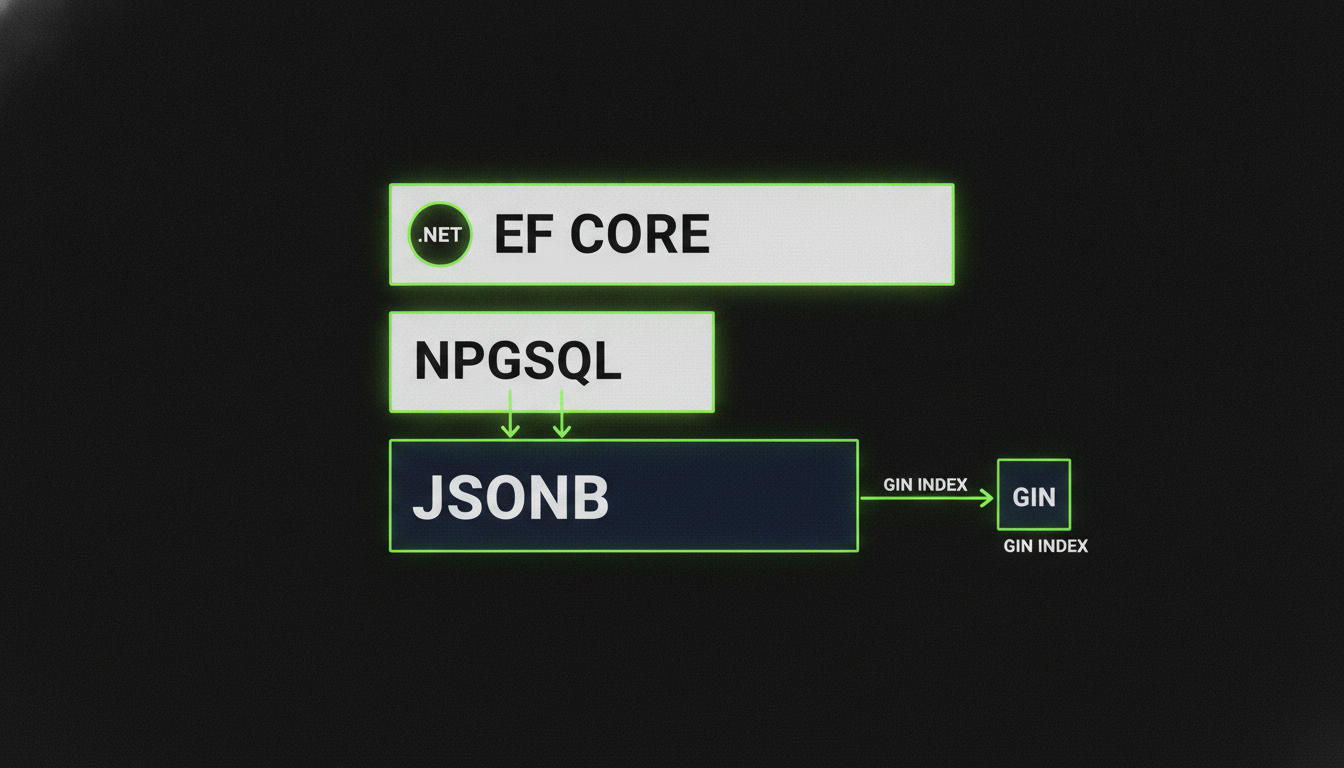
PostgreSQL jsonb with EF Core 10: Mapping, Indexing and Querying Document Columns
Mapping PostgreSQL jsonb with EF Core 10 complex types, run against PostgreSQL 18: what LINQ translates to, which indexes the planner actually uses, the traps (JsonContains, null keys, virtual columns) and when jsonb beats a separate table.
Read
October 5, 2026 · 7 min
Edge AI with .NET, Part 1: Integrating a 1975 Power Meter That Has No API
A 50-year-old Ferraris disc meter has no network port, no pulse output, and no protocol. Here's how to build a complete integration stack around a camera, a .NET 10 minimal API, and TimescaleDB when the only interface is a photograph.
Read
October 5, 2026 · 7 min
Building an Agentic System in .NET, Part 5: Designing an Agent Bus in ASP.NET Core
Design a production agent bus in ASP.NET Core 10 with EF Core, SignalR and PostgreSQL, covering agent registration, topic channels, at least once delivery, claim semantics with row level locking, and self contained hand off payloads.
Read