Vertical Slice Architecture in ASP.NET Core: Features as First-Class Citizens
Vertical Slice Architecture inverts the instinct behind layered systems. Instead of grouping code by technical concern, you group it by use case. Here is how to structure, share, test and migrate to slices in a real ASP.NET Core codebase.
The Problem with Layers at Scale
Layered architecture makes sense on a whiteboard. Controllers call services, services call repositories, repositories talk to the database. The problem shows up when you follow one feature, say creating a shipment, across six files in four folders spanning three projects. Every change turns into an archaeological dig. The architecture that was supposed to bring order becomes the thing slowing you down.
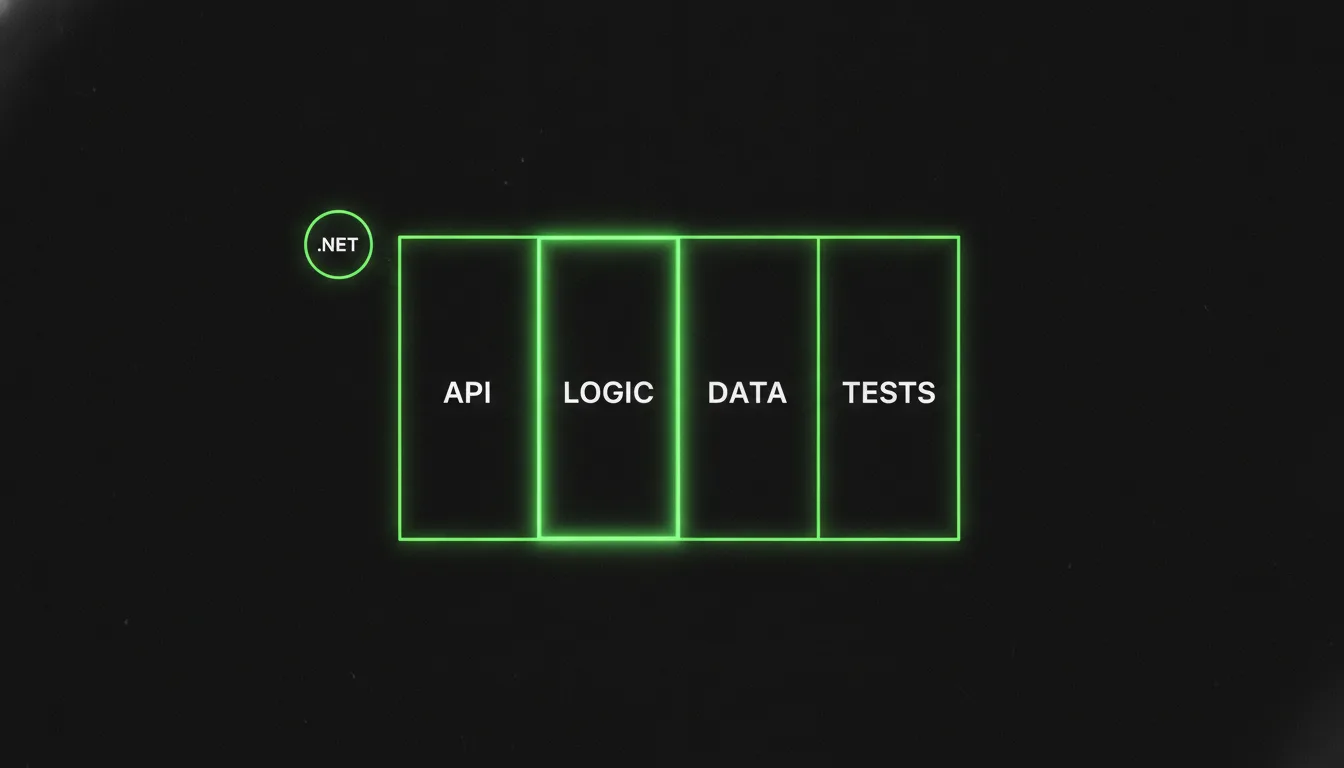
Vertical Slice Architecture (VSA) organises code a different way: group by use case, not by technical role. One feature, one folder, sometimes one file. The rule is the opposite of the layered instinct: minimise coupling between slices, maximise coupling inside a slice.
The idea is not new, but it has matured in the .NET ecosystem. MediatR 14.1.0, released on 3 March 2026, now follows .NET's release cadence, the REPR pattern has become a recognised unit of structure, and the community has settled on concrete answers for shared concerns and testing. Let us go through it properly.
Canonical Folder Structure
The top level unit is a Features/ folder. Inside it, one folder per domain area, then one folder or file per use case:
Features/
  Shipments/
    CreateShipment/
      CreateShipment.Endpoint.cs
      CreateShipment.Handler.cs
      CreateShipment.Mapping.cs
      CreateShipment.Validators.cs
    GetShipmentById/
      GetShipmentById.Endpoint.cs
      GetShipmentById.Handler.cs
  Users/
    RegisterUser/
      ...
Common/
  Behaviors/
    ValidationBehavior.cs
    LoggingBehavior.cs
  Persistence/
    AppDbContext.cs
The REPR pattern, Request, Endpoint, Response, maps straight onto this. Each slice handles exactly one API request. The endpoint takes the request model, dispatches to the handler, and returns the response model. Nothing leaks out.
Derek Comartin argues for collapsing all four files into one CreateShipment.cs with nested static classes. Both work. Multiple files are easier to find your way around in a large team. One file keeps everything in front of you when the slice is genuinely small.
A Concrete Slice
Here is a complete create shipment slice with MediatR 14.1.0 and Minimal APIs:
// Features/Shipments/CreateShipment/CreateShipment.Handler.cs

public static class CreateShipment
{
    public record Command(string Origin, string Destination, decimal WeightKg)
        : IRequest<Result>;

    public record Result(Guid ShipmentId, string TrackingCode);

    public sealed class Handler : IRequestHandler<Command, Result>
    {
        private readonly AppDbContext _db;
        private readonly ITrackingCodeService _tracking;

        public Handler(AppDbContext db, ITrackingCodeService tracking)
        {
            _db = db;
            _tracking = tracking;
        }

        public async Task<Result> Handle(Command request, CancellationToken ct)
        {
            var code = await _tracking.GenerateAsync(ct);

            var shipment = new Shipment
            {
                Id         = Guid.NewGuid(),
                Origin      = request.Origin,
                Destination = request.Destination,
                WeightKg   = request.WeightKg,
                TrackingCode = code,
                CreatedAt  = DateTime.UtcNow
            };

            _db.Shipments.Add(shipment);
            await _db.SaveChangesAsync(ct);

            return new Result(shipment.Id, code);
        }
    }
}
The endpoint registers itself as a static extension method, which keeps Program.cs quiet:
// Features/Shipments/CreateShipment/CreateShipment.Endpoint.cs

public static class CreateShipmentEndpoint
{
    public static IEndpointRouteBuilder MapCreateShipment(this IEndpointRouteBuilder app)
    {
        app.MapPost("/shipments", async (
            CreateShipment.Command command,
            IMediator mediator,
            CancellationToken ct) =>
        {
            var result = await mediator.Send(command, ct);
            return Results.Created($"/shipments/{result.ShipmentId}", result);
        })
        .WithName("CreateShipment")
        .WithTags("Shipments");

        return app;
    }
}
In Program.cs you call app.MapCreateShipment(), or scan for every endpoint registrar with reflection. Either is fine.
Handling Cross Cutting Concerns
The usual objection to VSA is: where do logging, validation and exception handling live if there is no service layer?
With MediatR, pipeline behaviors answer that. They sit around every handler like middleware. Register them explicitly in AddMediatR, because auto scanning was removed in MediatR 12.3 and has not come back. Registration order is execution order, so be deliberate:
builder.Services.AddMediatR(cfg =>
{
    cfg.RegisterServicesFromAssembly(typeof(Program).Assembly);
    cfg.LicenseKey = builder.Configuration["MediatR:LicenseKey"];

    // Order matters: logging wraps everything, validation runs before the handler
    cfg.AddOpenBehavior(typeof(LoggingBehavior<,>));
    cfg.AddOpenBehavior(typeof(ValidationBehavior<,>));
    cfg.AddOpenBehavior(typeof(ExceptionHandlingBehavior<,>));
});
Note the LicenseKey. From MediatR 14.x a licence key is required for server side use. Client side apps such as Blazor WASM are exempt. Keys come from Jimmy Bogard's company, Lucky Penny Software. If the commercial licence is a problem, a small custom dispatcher is a realistic alternative: a generic IHandler<TRequest, TResponse> interface, assembly scanning, a Dispatcher that resolves handlers from the DI container, and no external dependency. Plenty of teams went this way after the breaking changes in MediatR 12.0, and it is less work than it sounds.
For cross cutting concerns that are not MediatR's business, authorisation, rate limiting, response caching, ASP.NET Core middleware and endpoint filters are still the right tool. VSA does not replace the middleware pipeline. It replaces the service layer.
Genuinely shared code, base domain entities, the DbContext, utility extensions, lives in Common/ or Shared/. The discipline is strategic abstraction: do not move something to Common/ because it appeared twice. Move it when its contract is stable and the reuse is proven. Repeating a two line persistence call in three slices is often the better choice.
Testing Strategy
Self contained slices make the test surface obvious, and the tests group the same way the features do.
- Unit tests.
CreateShipmentTestscovers the handler with a mockedAppDbContextandITrackingCodeService. The validator gets its own tests. - Integration tests. Run the whole slice from endpoint to database with
WebApplicationFactory<Program>and a test database. Because the slice owns its data access, nothing leaks through a shared repository, and the test boundary is the HTTP request.
There is a practical benefit: when a slice breaks, the failing test names the use case. There is no argument about which layer caused the regression. Names like CreateShipmentHandlerTests are also easy to find in any IDE.
Avoid the trap of unit testing every internal detail of a slice. If the handler does three database operations and some mapping, an integration test against a real test database tells you more than a heavily mocked unit test that only checks call counts.
Migrating from Layered or Clean Architecture
The easiest codebases to migrate are the ones already using CQRS and MediatR, because every handler is already a slice. The move is mechanical:
- Create
Features/<Domain>/<UseCase>/folders. - Move the MediatR command or query and its handler into the new folder. The dependencies stay injected, and nothing changes in DI registration.
- Move the endpoint action, or the controller method, into a matching endpoint file in the same folder.
- Move any DTOs that belong to that use case next to the handler.
- Leave shared infrastructure, DbContext, domain entities, shared validators, in
Common/or a dedicated project.
The layered structure and the slice structure can live side by side for as long as you like. There is no need for a big bang. A team of four can move one bounded context per sprint without disturbing anything that is running.
If you started from the dotnet new cleanarchitecture template, VSA fits without a fight, because the CQRS scaffolding is already there. Mostly you are reorganising who owns which folder, not rewriting logic.
What VSA Is Not
VSA is a way to organise code, not a complete application architecture. It says nothing about how to model your domain, handle transactions across aggregates or deal with eventual consistency. Domain Driven Design, event sourcing and outbox patterns sit beside VSA and combine with it fine.
It is also not the same thing as feature slicing. Feature slicing is a folder convention. VSA adds use case boundary discipline and usually, though not always, a dispatching pattern. You can have feature sliced folders that are still fully layered inside each folder.
Keeping Slices Consistent
Without a layered contract saying what each layer may reference, slices drift. One developer reaches from an endpoint straight into the DbContext. Another invents a service class inside a slice and starts injecting it into other slices. Stop that with:
- A documented slice template, even a text file or a Roslyn analyzer, that defines the four files and what each one is for.
- Architecture tests with
NetArchTestorArchUnitNETthat assert code inFeatures/does not reference types from another feature folder. - A review question: is any type from this slice referenced outside this slice?
The architecture is only as strong as the team's willingness to hold the boundaries. The upside is that the boundaries are intuitive, because they match how product managers describe features, which makes the conversation between engineering and product a lot simpler.
Sources
- Develop Vertical Slice Feature Folder with CQRS and MediatR in .NET 8 Microservices | by Mehmet Ozkaya | Medium
- Vertical Slice Architecture in .NET 10: The Ultimate Guide (2026)
- Vertical Slice Architecture in ASP.NET Core: A Modern Approach to Building Maintainable Applications - Asma's Blog
- Feature Slicing in C#: Organizing Code by Feature
- GitHub - jeangatto/ASP.NET-Core-Vertical-Slice-Architecture: ASP.NET Core, C#, Vertical Slice Architecture, CQRS, REST API, DDD, SOLID Principles · GitHub
- Vertical Slice Architecture
- Vertical Slice Architecture in ASP.NET Core - Code Maze
- Vertical Slices: ASP.NET Core | Frederik Baun's Blog
Keep reading

October 5, 2026 · 7 min
Building an Agentic System in .NET, Part 6: Redaction, Audit and the Safety Layer
If you archive every agent session, you also archive every secret anyone ever pasted into one. This last part covers the full safety layer: redaction pipelines, audit trails, prompt injection threat modelling and retention pruning, with code.
Read
September 18, 2026 · 7 min
Building an Agentic System in .NET, Part 1: Anatomy of an Agent Harness
A chat wrapper is not an agent harness. This article walks through every structural component a real .NET 10 agent host needs, the turn loop, tool dispatch, persistence and the safety layer, and shows the minimal C# skeleton that survives a crash.
Read
October 6, 2026 · 6 min
Keeping Your Knowledge Graph Current Without a Dedicated Team
A knowledge graph that nobody updates becomes a lie with good syntax. This article builds the automated maintenance loop — deriving edges from git history, deployment manifests, and OpenTelemetry service maps, reconciling on a schedule, and handling conflicts with provenance on every edge.
Read