


From Graph Traversal to Semantic Discovery: Adding Vector Search and LLM Reasoning to Your ArangoDB .NET 10 API
.Net Core, AI, ArangoDB, Embeddings, Graph Database, Knowledge Graph, LLM, OpenAI, Semantic Kernel, Semantic Search, Vector Search
February 6, 2026
In the previous article, I built a .NET 10 API for graph traversal in ArangoDB. We covered BFS path finding, network expansion, and full-text search across a knowledge graph. It worked great for structured queries like “find the path between Kubernetes and Microservices.”
But then I tried something like “show me everything related to serverless architecture and its prerequisites” and… nothing useful came back. The problem is obvious in hindsight: keyword matching can’t capture intent. The word “serverless” doesn’t appear in “Azure Functions” or “AWS Lambda” even though they’re exactly what you’re looking for.
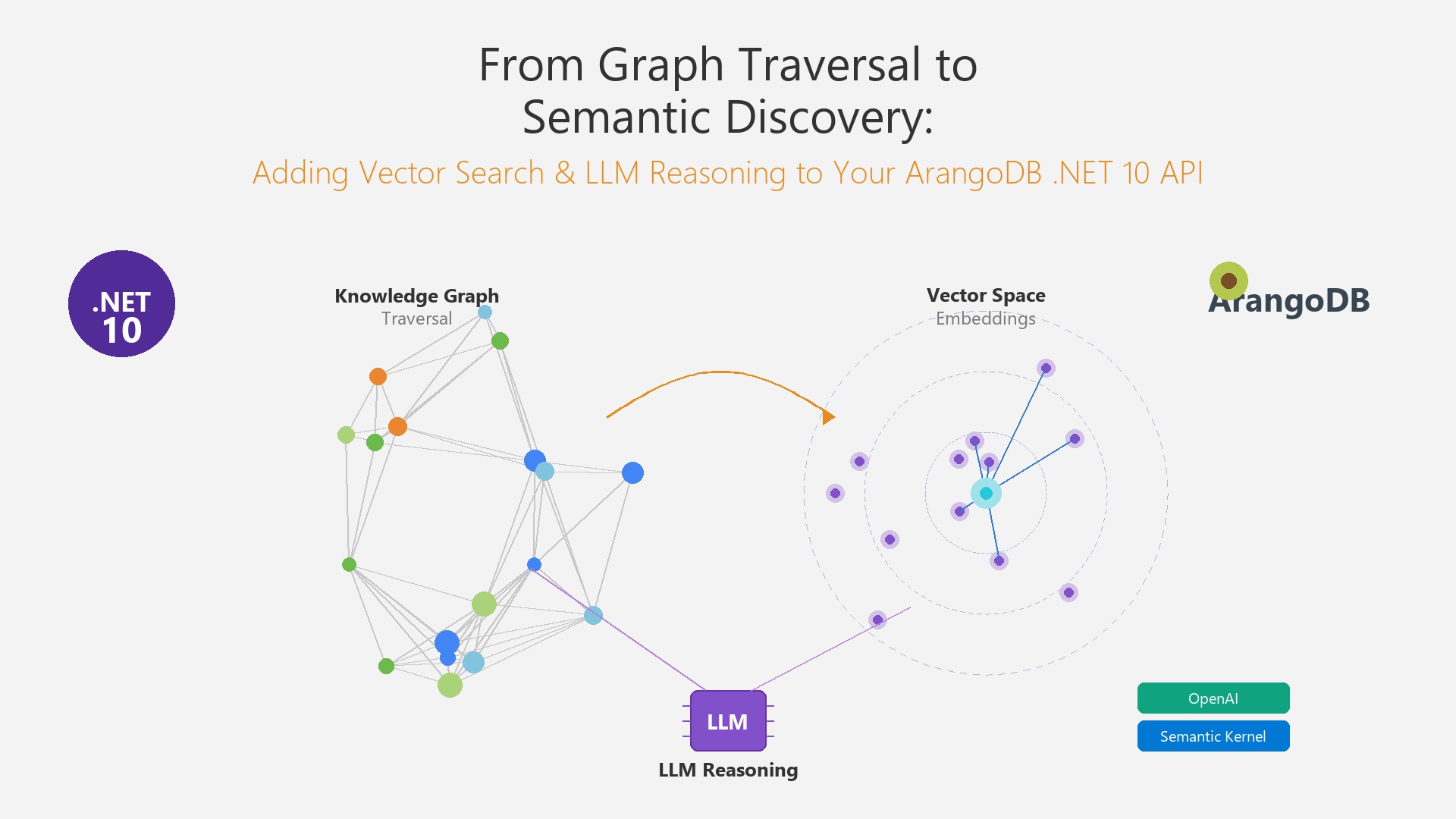
So I went down the rabbit hole of adding semantic understanding to the graph. The result is a three-part approach: use vector search to find relevant starting points by meaning, then walk the graph from those points to find connections, and finally hand everything to an LLM that can explain the relationships in plain English. The graph is still the source of truth. The AI just helps you ask better questions.
What We’re Building
Three new capabilities on top of the existing Knowledge Graph API:
- Semantic Search to find nodes by meaning. A query like “cloud-native deployment strategies” returns “Kubernetes” and “Docker” even though those exact words aren’t in the query.
- Hybrid Discovery that uses those semantic matches as starting points for graph traversal. The vectors tell us where to look; the graph tells us how things connect.
- LLM-Assisted Insights where you ask a question in plain English and get an answer grounded in actual graph data, with citations back to specific nodes.
Full source code is on GitHub: arangodb-dotnet-graph-api (feature/semantic-discovery branch)
Architecture Overview
The project structure from the first article had three layers. I’m keeping all of that and adding a fourth:
- GraphApi gets a new
DiscoveryControllernext to the existingGraphController - GraphApi.Data picks up
VectorSearchServiceandHybridQueryService - GraphApi.Models gets an embedding field on vertex models plus new DTOs
- GraphApi.Intelligence is a brand new project that handles all the OpenAI/Semantic Kernel integration
I went with Microsoft Semantic Kernel and the OpenAI connector for the intelligence layer. You could use the OpenAI SDK directly, but Semantic Kernel gives you a nice abstraction. If you want to swap in Azure OpenAI or a local Ollama model later, it’s just a config change.
OpenAI Configuration
Standard Options pattern, nothing surprising here:
Adding Embeddings to Your Knowledge Graph
Every vertex in the graph needs vector representation. That’s a 1536-dimensional float array that captures what the node “means” semantically. The trick I found is that you can’t just dump all fields into a string and embed it. Different vertex types need different text representations to get good results:
- Concept:
"{name}: {description}"– straightforward, just what the thing is - Topic:
"{name}: {description} — covers {related concepts}"– including scope makes “Cloud Computing” match broader queries - Resource:
"{title} by {author}: {description}"– author info helps when people search for someone’s work - Author:
"{name}: {expertise areas}"– so “who knows about Kubernetes?” actually works
For the embedding model, I went with OpenAI’s text-embedding-3-small (1536 dimensions) through Semantic Kernel’s ITextEmbeddingGenerationService. At $0.02 per million tokens, you can embed a pretty large knowledge graph for practically nothing.
One thing worth noting: BuildTextRepresentation is deliberately a pure function. No database calls, no async. That makes it easy to test and means you get identical embeddings whether you’re seeding data or processing a live update.
Setting Up ArangoDB Vector Search
ArangoDB 3.12 added experimental vector index support. You need the --experimental-vector-index true flag on the server. The updated docker-compose below has that, plus comments showing how to create the vector indexes:
A few things about the index parameters:
- metric: “cosine” is the right choice for text embeddings because it doesn’t care about vector magnitude, only direction
- dimension: 1536 has to match your embedding model. If you switch to
text-embedding-3-largelater, this becomes 3072 - nLists: 10 controls IVF (Inverted File Index) partitions. More partitions = faster search but more memory. 10 works well for anything under 100K documents
At query time, APPROX_NEAR_COSINE does an approximate nearest neighbor search across the IVF index. There’s also an nProbe parameter that controls how many partitions to scan. Higher values give better recall but slower queries.
Vector Search with Metadata Filtering
In practice, you almost never want “give me the 10 most similar nodes across everything.” You want to filter: only search Concepts, only things created this month, only nodes with a certain property. The problem? ArangoDB’s vector indexes don’t support pre-filtering.
I spent a while looking for a workaround and landed on what I’m calling the over-fetch + post-filter pattern.
The Post-Filter Pattern
It’s dead simple: ask the vector index for more results than you actually need, then filter that larger set:
- Pull
3× limitcandidates fromAPPROX_NEAR_COSINE - Filter by collection type, date range, minimum score, whatever you need
- Take the top
limitfrom what’s left
The 3x multiplier is what worked for me. If your filters are very aggressive (like filtering to a rare tag), bump it up to 5x or more. If they’re loose, you can probably get away with 2x.
You’ll notice the code iterates over collections instead of doing one big cross-collection query. That’s not by accident: each collection has its own vector index, and APPROX_NEAR_COSINE works on a single collection at a time. The service handles merging and re-ranking across all of them.
Hybrid Discovery: Vectors Meet Graphs
This is the part I’m most excited about. Vector search by itself gives you a flat ranked list: “these 5 nodes are relevant.” But it doesn’t tell you how they relate to each other or what else is nearby. Graph traversal does that, but you need to know where to start.
Hybrid discovery solves both problems. Vectors pick the starting points, then graph traversal fans out from each one. The HybridQueryService runs a four-step pipeline:
- Embed the user’s query into a vector
- Search for semantically similar nodes
- Traverse the graph from each match using BFS (same pattern from the first article)
- Merge everything and tag each result with how it was found
Why Provenance Matters
Every result gets tagged with its origin. If a node came from vector search, it has a similarity score. If it was discovered through graph traversal, it carries the full edge path from it’s parent match. So when someone asks “why did Kubernetes show up in my results?”, you can say: “Docker was a 0.87 semantic match, and Kubernetes is connected to Docker via a REQUIRES edge at depth 1.”
DiscoveryResult keeps semantic matches and graph discoveries separate on purpose. A frontend could display them differently, or you might want to weigh them differently in a scoring function.
LLM Reasoning Over Graph Context
Now we have semantic matches and a bunch of graph traversal results. The last piece is letting an LLM make sense of all that for the user. But I want to be clear about the role of the LLM here: it’s a presentation layer. It doesn’t know anything. It takes the structured graph data we hand it and explains it in plain language. If something isn’t in the graph context, it shouldn’t appear in the answer.
The Prompt Setup
The system prompt gives the LLM a “knowledge graph analyst” role with hard rules: only cite nodes from the provided context, reference them by ID, explain connections using edge types, and if the data isn’t there, say so. The user prompt then dumps in the full discovery context (semantic matches with scores, graph discoveries with paths) followed by the actual question.
Dealing with Hallucination
Prompting alone isn’t enough. LLMs will still occasionally make things up. So there are three layers of defense:
- The system prompt forbids making up information. This works most of the time but isn’t bulletproof.
- After getting the response, the code checks every referenced node ID against the actual discovery results. If the LLM cited a node that doesn’t exist, we know about it.
- A coverage score tracks what percentage of discovered nodes the LLM actually referenced. This isn’t a confidence score in the traditional sense. It’s more of a “did the LLM use the context we gave it?” metric.
A ConfidenceScore of 0.8 means the LLM mentioned 80% of the nodes we found. A low score might mean the question was too specific for the graph context, or that the LLM fixated on a subset of the results. Either way, it’s a useful signal.
API Design
The DiscoveryController has two endpoints. I kept them separate because they serve different use cases:
POST /api/discovery/searchdoes vector search with optional metadata filters. No LLM call, so it’s fast. Good for autocomplete, faceted search, that sort of thing.POST /api/discovery/askruns the full pipeline: vectors, graph traversal, LLM reasoning. Returns a structured answer with citations. Takes a couple seconds because of the LLM round-trip.
Running the Project
Start ArangoDB with Vector Support
docker-compose up -dAfter it’s up, create vector indexes on each vertex collection using the AQL commands in the docker-compose comments. You can do this through the ArangoDB Web UI at localhost:8529.
Configure OpenAI
Drop your API key into appsettings.json:
{
  "OpenAi": {
    "ApiKey": "sk-your-api-key",
    "EmbeddingModel": "text-embedding-3-small",
    "ChatModel": "gpt-4o",
    "EmbeddingDimensions": 1536
  }
}
Seed Embeddings
If you already have data from the first article, you’ll need to generate embeddings for all existing vertices. EmbeddingService.GenerateBatchEmbeddingsAsync handles this in batches. Trigger it through the seed endpoint or wire it up as a startup task.
Run the API
cd src/GraphApi
dotnet run
Swagger UI is at the root URL. Start with a semantic search to make sure embeddings are working:
POST /api/discovery/search
{
  "query": "serverless architecture patterns and cloud-native prerequisites",
  "collections": ["Concepts", "Topics"],
  "limit": 5
}
Once that looks good, try the full discovery pipeline:
POST /api/discovery/ask
{
  "question": "What are the learning prerequisites for understanding Kubernetes, and how do they relate to cloud computing topics?",
  "traversalDepth": 2,
  "limit": 10
}
Design Decisions and Trade-offs
- Post-filter vs pre-filter: ArangoDB doesn’t support pre-filtering on vector indexes yet. The over-fetch pattern handles moderate selectivity fine. If your filters are very aggressive, you might want to look at maintaining seperate filtered collections or putting a dedicated vector DB like Qdrant alongside ArangoDB.
- Semantic Kernel over the raw OpenAI SDK: I went back and forth on this. The OpenAI SDK is simpler for a single-provider setup. But Semantic Kernel means I can swap to Azure OpenAI or a local model later without touching service code. For a blog demo either works, but for production I’d pick Semantic Kernel every time.
- LLM as presentation, not knowledge: This was a deliberate call. The graph holds the facts. The LLM only summarizes and explains what the graph already knows. It’s more expensive to call the LLM, but you only do it once at the end, not for every sub-query.
- text-embedding-3-small vs large: The small model is half the cost and honestly, for most knowledge graph use cases, the quality difference is negligible. I’d only switch to the large model if you’re seeing poor recall on nuanced queries after tuning other parameters first.
- Over-fetch multiplier: 3x is my default. Keep an eye on how many candidates survive filtering. If you’re throwing away 80%+, bump it up. If almost everything passes, bring it down to save on vector search time.
Wrapping Up
What started as “add vector search to my graph API” turned into something more interesting: a discovery system where each layer does what it’s best at. Vectors find meaning, graphs find structure, and the LLM explains it all in human language. None of these are particularly novel on their own, but the combination works surprisingly well.
The whole thing is on GitHub: arangodb-dotnet-graph-api (feature/semantic-discovery branch)
Next time, I’m planning to take these discovery results and render them as interactive graph diagrams using React Flow. Should be a fun one.
